 Make a Memoryby MindSpaceBETA
Make a Memory · for Chrome
Every AI you use. One memory that's yours.
Keep your chats with AI, the passages you highlight, images, screenshots, videos, voice memos and documents in your own private MindSpace memory, and see what you already remember about anything you read. Nothing is kept unless you say so.
Free during the beta. Works in Chrome, Edge, Brave and Arc.
For your own private use. What you keep is for you — please respect other people's work and never use it to copy their work for commercial use. (Terms)
Before you start: read and accept
The extension does nothing until you accept. First, exactly what it sends and why:
- Only what you choose to keep: the text, image, screenshot, video transcript, chat, voice-memo words or document words you keep, with the title and link of the page it came from.
- When you right-click "Stigmergize this page": the page's title, link, main heading, description and any text you selected.
- For sites you pin: when you pin, the site's address, the category you pick and any note or name you add; after that, the site's name and the time of each visit. Nothing about the page itself.
- A skill you paste into the extension to import it.
- When you ask "What do I remember here?": the text you selected, to look it up. It is not kept.
- Workflows you record (Teach Mode) stay on your computer. They are never sent.
- Voice memos are written out by Chrome's own speech recognition, which is Google's service, so your voice reaches Google through Chrome for that. The recording itself is never sent to us.
- Your sign-in and your settings (keep, ask first, or off for each kind of thing).
- It all goes over an encrypted connection (HTTPS) to your own private MindSpace account, and is used only to keep and show your memory. Never sold, never used for ads. Nothing else about your browsing is collected.
Fair for everyone. We value your thoughts and what you keep, and we value the people who create what you read. To keep it fair, if we notice unusual activity, like a lot kept very fast from one site, we may slow things down for a while. Slowing things down never deletes what you kept.
And it is for your own private memory, on these terms:
- I'll use what I keep for my own personal, private use.
- I won't copy other people's work for commercial use, or republish, resell or pass it on.
- I'll tell people before I record them, and keep only what I'm allowed to keep.
- I won't use it for anything illegal, abusive, harassing or sexually explicit.
- I'm responsible for what I keep. Accounts that break these rules can be suspended.
Your data, your control — and your promise
🔐 Your data is yours
- Nothing is kept unless you say yes — and you see exactly what will be kept first.
- See everything you kept, any time: in the extension (Your data) and in MindSpace.
- Delete any item whenever you want, or delete your whole account and everything in it.
- Private to you. Never sold, never used for ads, never shown to anyone else. Encrypted on the way to us.
- Recordings and document files stay on your computer — only the words you choose to save come to your memory.
🤝 Your promise
What we ask of everyone who uses it:
- What you keep is for your own personal, private use — to remember, learn and think.
- You won't use it to copy other people's work for commercial use, or to republish, resell or pass it on.
- You'll respect people: keep only what you're allowed to keep, and tell people before you record them.
- It is built not to keep anything from adult websites.
See also our Terms.
Three steps
Add it to Chrome
From the Chrome Web Store — free during the beta. Chrome keeps it up to date for you.
Log in to MindSpace
Sign in with your Google or Microsoft account and accept the Terms. The extension picks up your sign-in, so everything you keep is saved as you — and only you.
Pin it
Click the puzzle-piece in Chrome's toolbar and pin Make a Memory, so your kept items and settings are one click away.
What you can do
What you can do with Make a Memory
Take your memory from one AI to the next
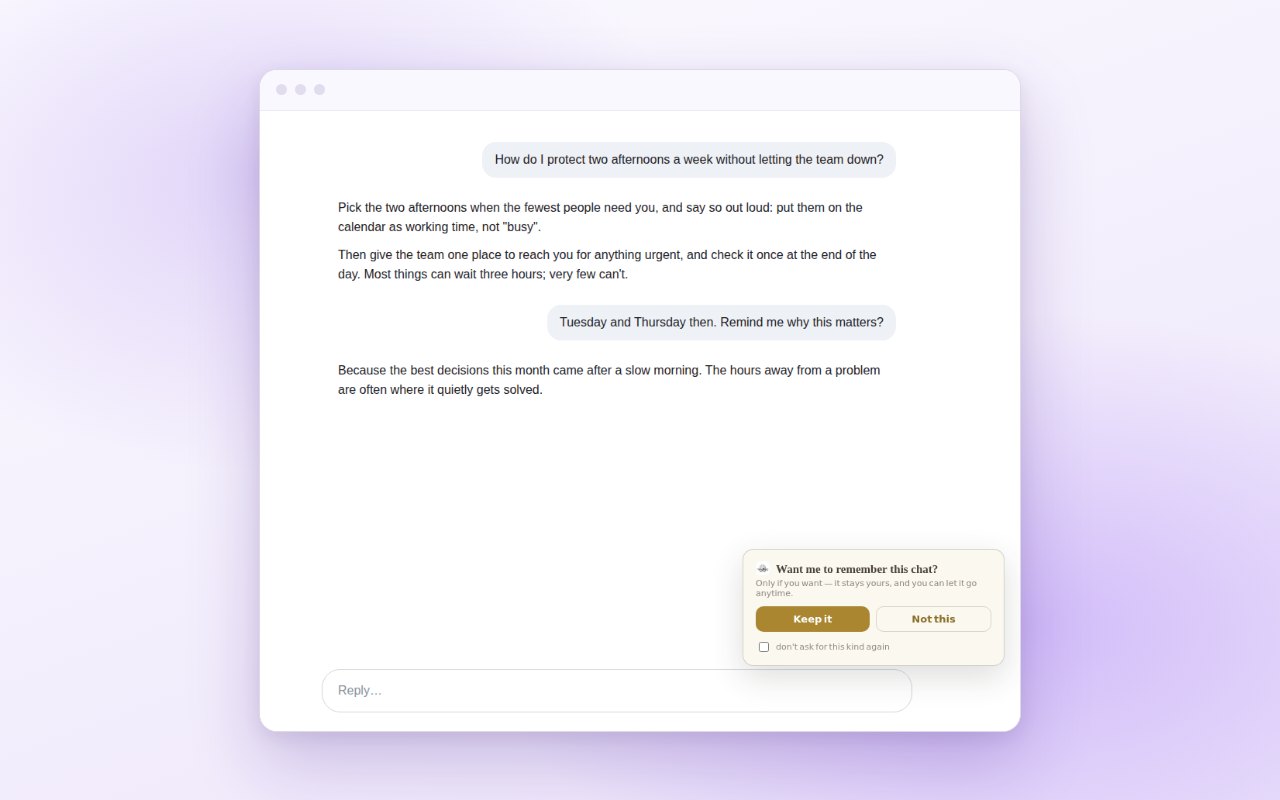
Keep the chats you have with AI on the web, all in one memory that's yours. Connect your own AI to MindSpace and it can recall them, whichever AI you're talking to.
It asks before keeping a chat. Choose "Keep it" with "don't ask for this kind again" ticked, and it keeps them as you go. Connect your AI
Ask "What do I remember here?"
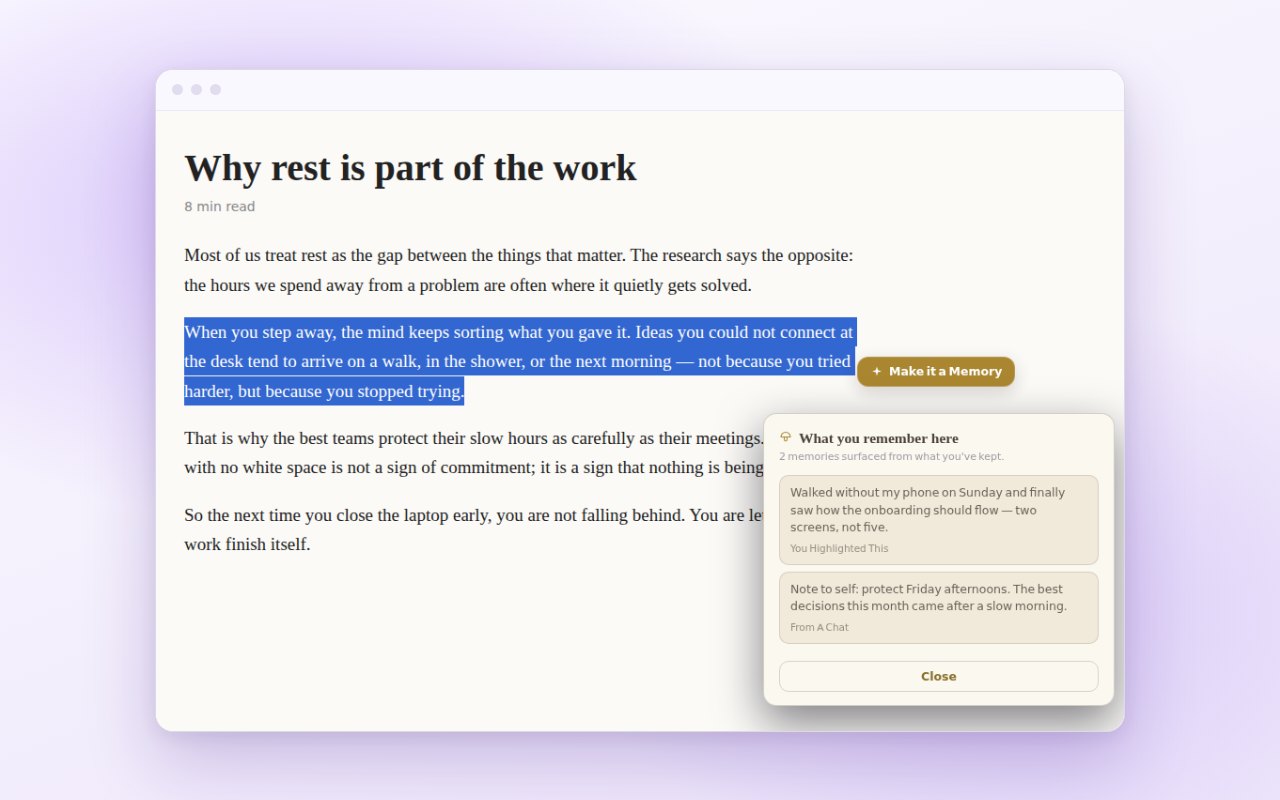
Select any sentence on any page and see what you've already kept about it: a note, a passage, a chat.
Nothing is looked up until you click.
Keep the exact words, with the way back
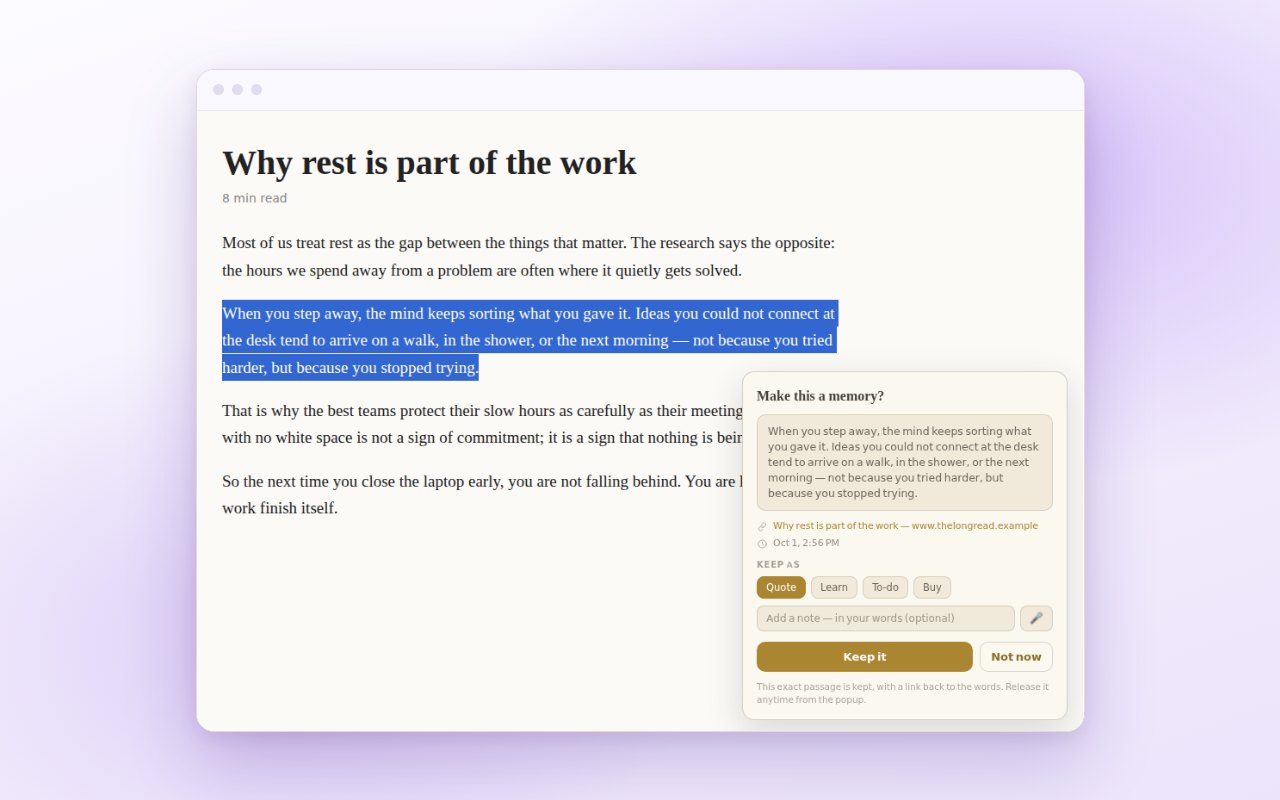
Select a passage and click "Make it a Memory". It keeps the words with a link back to the exact spot, and your own note if you add one, typed or spoken.
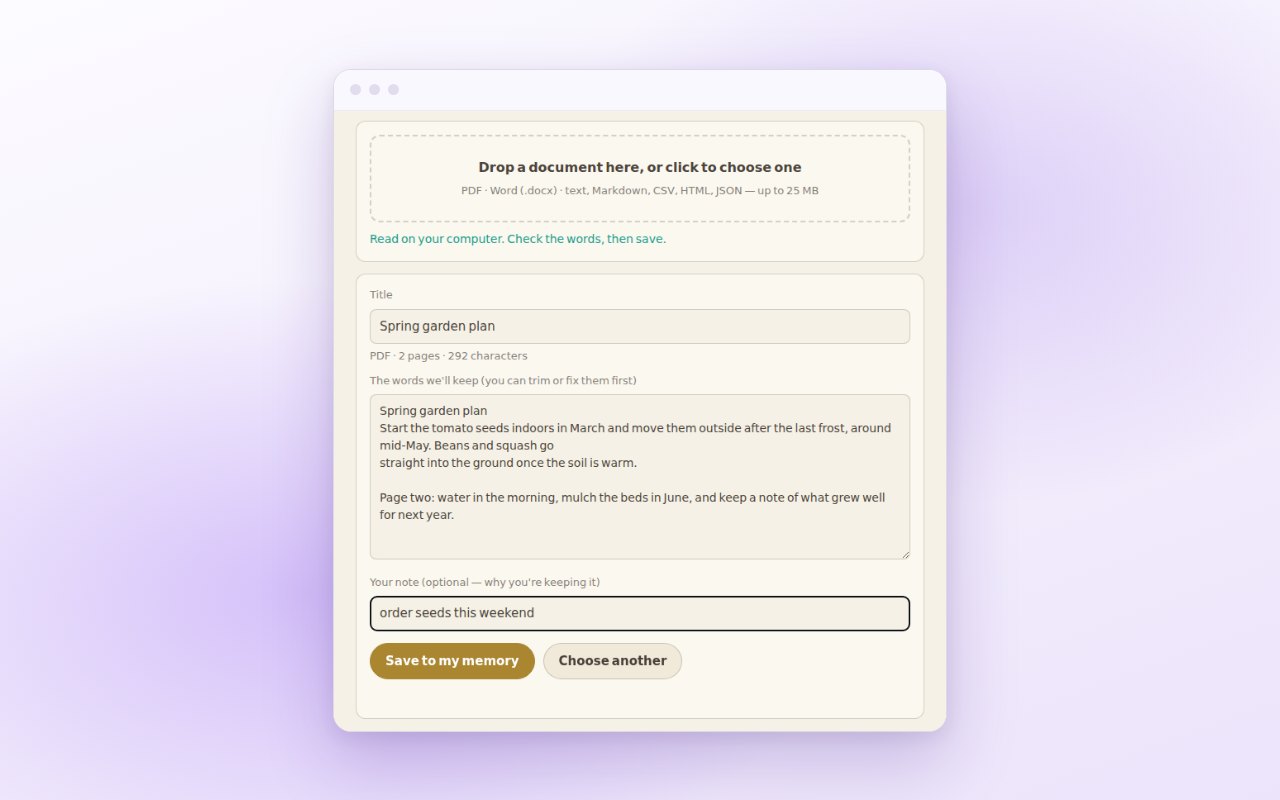
Keep the words from a document
Keep a PDF, Word or text file. It's read on your computer, and only the words you choose are saved.
Right-click an image, or drag over any part of a page to keep just that region.
Keep a link to a page or a video with its title and, where the site shows them, its captions, and say why it matters to you. The video itself is never copied.
Record yourself or a conversation. The words are written out as you talk; the recording stays on your computer.
Record a step-by-step routine on any site. No keystrokes, typed values or passwords, and it never leaves your computer.
Your rules
- Nothing is kept unless you say yes. If you don't answer within 20 seconds, nothing is kept.
- You see exactly what will be kept before it's kept.
- Choose by type — conversations, highlights, images and screenshots, links and videos, “What do I remember here?” — each on or off; conversations can also “ask me first”.
- Let go of anything, any time. Released items are held for 10 days in case you change your mind, then deleted.
- Signed out, it sends nothing at all. Your memories are never sold, never used for ads, and never used to train AI for anyone but you.
Full details in our privacy policy.
Who we are
We're Distilligent, the people behind MindSpace: a private home for your thoughts, where the AI you use can finally remember what matters to you, because you chose to keep it.
Make a Memory is the small door from the web into that home. You find something worth keeping, you say yes, and it's there when you need it, with a link back to where you found it.
We're built by a founder and a family of AI, with one rule above the rest: your memory is yours. Never sold, never used for ads, and never used to train AI for anyone but you.